Elmwood Family Practice
Family & GP clinicRequest an appointment, hours and services, a first-visit info subpage, the team, parking and the map.
Solution for healthcare practices
Before a visit: intake forms, directions and parking. After a visit: the instructions patients actually keep. One branded info hub behind a single code — logistics and information, never records.
Before and after the visit
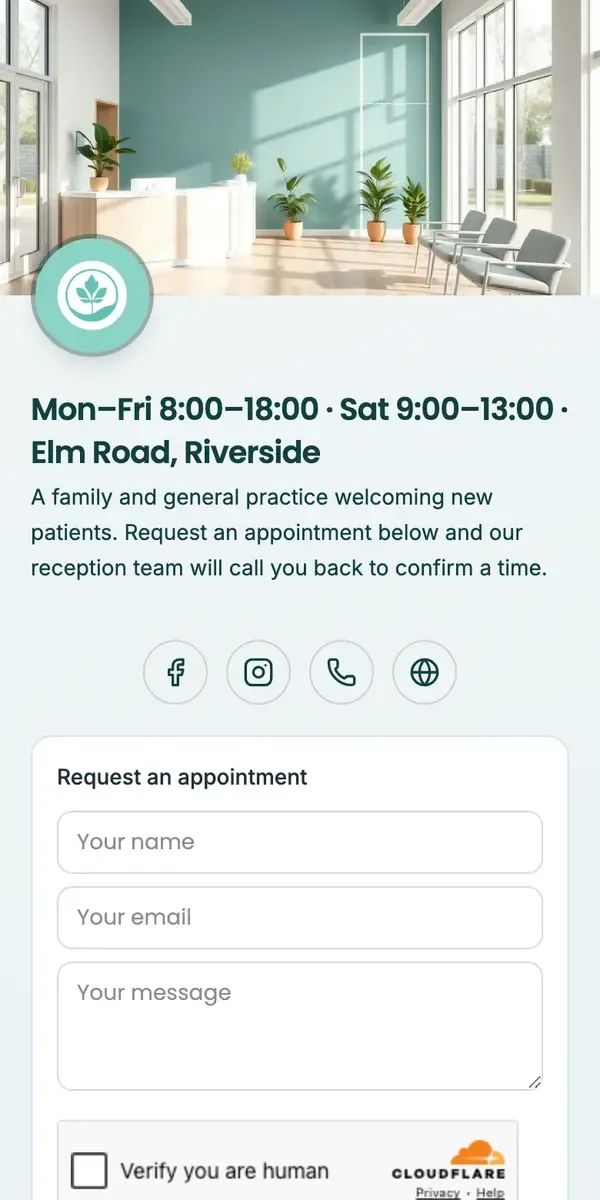
This is Elmwood Family Practice, a real family & GP clinic's page — hours and location, a plain-language welcome, socials and a request-an-appointment form, all editable without touching a chart or a record.
1234Perfect for every patient touchpoint

The scan patients already open before a visit.
One code from the chairs to the front desk.
The instructions patients actually keep.
Why practices choose Hublink
Clipboard vs Hublink
Where it lands
Clipboard / wall poster
Hublink
Editable after printing
Clipboard / wall poster
Hublink
Directions & department wayfinding
Clipboard / wall poster
Hublink
Appointment booking links
Clipboard / wall poster
Hublink
After-visit instructions
Clipboard / wall poster
Hublink
Multi-language pages
Clipboard / wall poster
Hublink
Scan analytics
Clipboard / wall poster
Hublink
Try it in 60 seconds
These are live Hublink pages. Open one, then make it yours — your practice, your forms, your instructions.
Elmwood Family Practice
Family & GP clinicRequest an appointment, hours and services, a first-visit info subpage, the team, parking and the map.
ProServe Training
Training portalCleaning crews get procedures, PPE and chemical safety in their pocket.
Harborview Open House
Intl. schoolProgramme, activities, fees and map for parents — before they visit.
Healthcare questions
No. Hublink pages are for public-facing logistics and information — appointment links, directions, prep instructions, after-care guides. Anything clinical or personal stays in your practice management system, never on the page.
Yes — link straight to your existing intake form from the page a patient reaches by scanning their appointment letter or SMS. They fill it out at home, not in the waiting room, and you get a form that's actually done before check-in.
One page holds the map, parking notes, entrance photo and a department directory — everything a first-time visitor searches for on their phone in the parking lot. Update it the moment anything changes, no reprinting signage.
They become a page instead of a stapled printout — something patients can actually save, revisit or share with family, in their own language, always showing the current version.
Yes. Built-in analytics show scans by time and device, so you can see how many patients open the page, complete a form or view directions before their visit.
Yes. Start on the free plan with one page and no watermark. Upgrade to Pro for more pages, unlimited edits and full analytics history when you're ready.
That's the whole tour
Links, photos, PDFs, a map, a form — one QR to share, edit it forever.
No card needed · Free forever